From the parking lot to paid.
Everything you need to set up a round the right way — players, tees, handicaps, pops, and the game itself — then drop the whole thing into a tournament. It takes about two minutes, and you only argue about the important stuff: who's getting strokes.
Pick a game · Round setup · Players · Course · Tees & pops · Game settings · Keeping score · Tournaments
Tap +, pick your game.
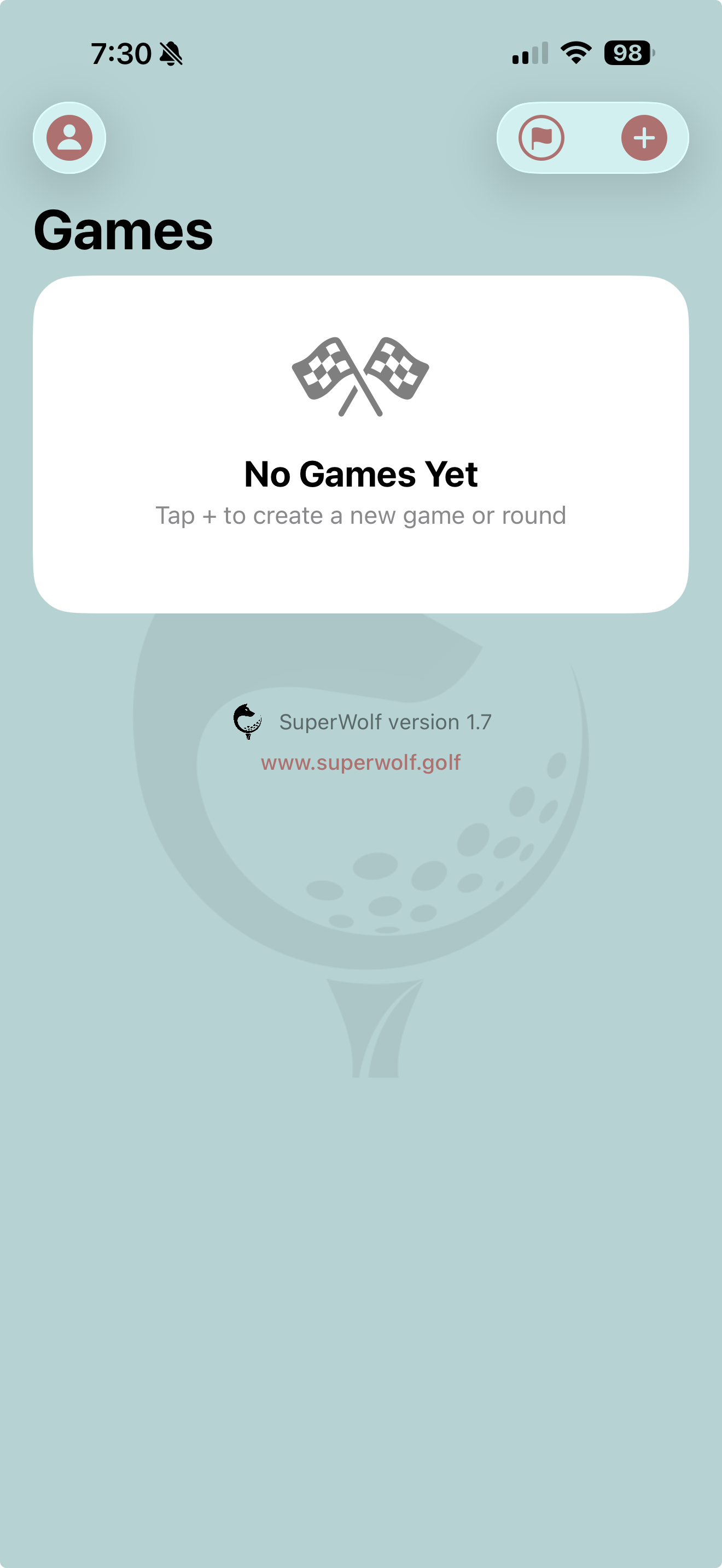
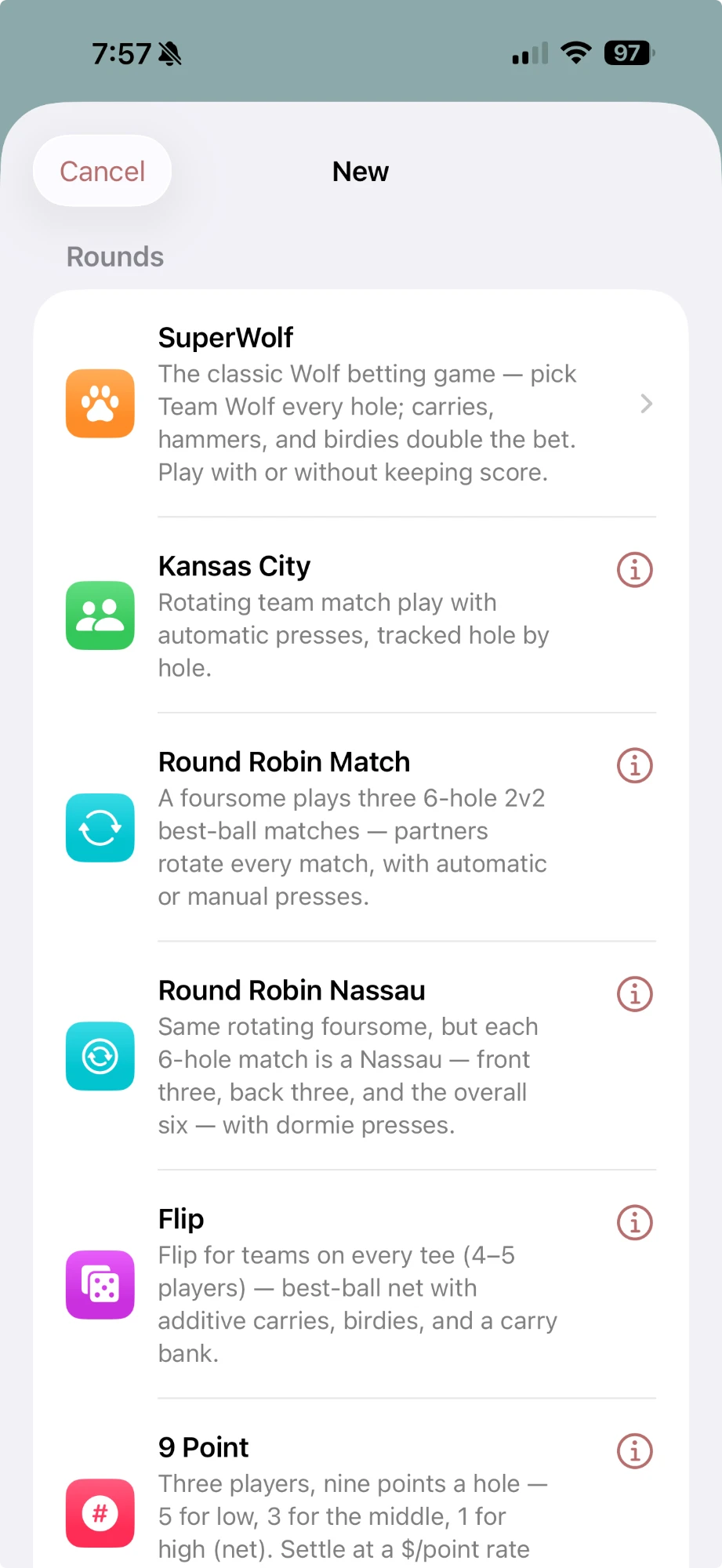
Fresh install looks like the screen on the left: no games, one job. Hit the + in the top corner and the game list slides up — every round type on one shelf: SuperWolf, Kansas City, Round Robin Match & Nassau, Flip, 9 Point, One/Two Downs, Vegas, Crossfire, or a plain scorecard. Pick your poison; every one of them keeps hole-by-hole scores that can feed a tournament.
One choice worth a second of thought: SuperWolf plays with or without keeping score. Score it and it's a full round like any other; skip the scores and the app just keeps the bet — carries, shucks, hammers, and all. Tap the next to any game for the full rules before you commit.
Name it, size it, done.
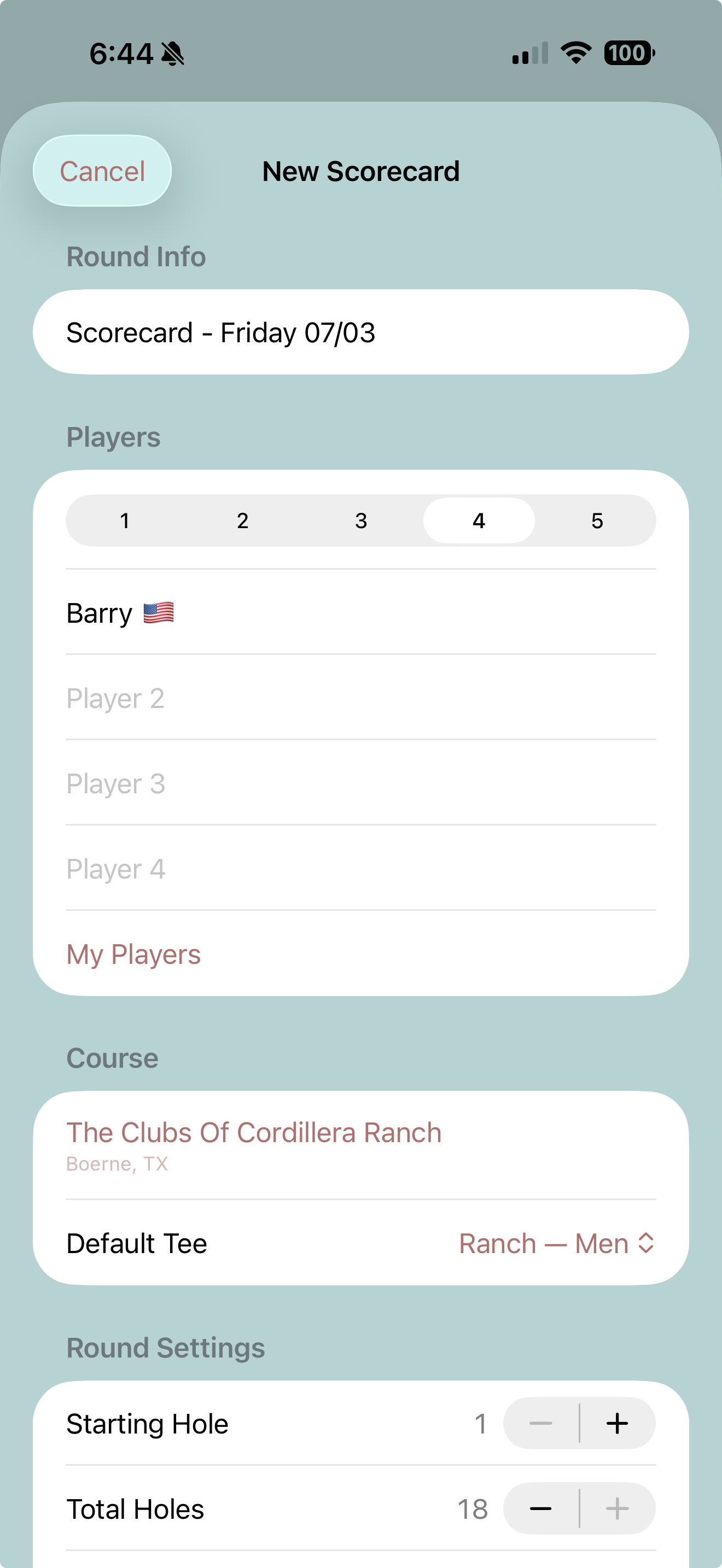
Pick your game and everything lands on a single setup screen. The round name defaults to the day you're playing — "Scorecard - Friday 07/03" — so unless you're feeling poetic, leave it and move on.
- Round Info — the name. Tap to rename it after your trip, your trophy, or the guy who's about to lose.
- Players — flip the segmented control to your group size and fill in the names. Every game shows only the counts it supports.
- Course — where you're playing, with a default tee for the group.
- Round Settings — starting hole (back-nine and shotgun starts welcome) and total holes.
- Game settings — the bet. Every game starts on sensible defaults, so "just play" is always an option.
Pick from Wolf, Kansas City, Round Robin Match, Round Robin Nassau, Flip, 9 Point, One/Two Downs, Vegas, Crossfire, or a plain scorecard.
Just type a handle. That's it.
You don't need a list, an invite, or anyone else's phone. Tap a player slot and type whatever you call the guy — "Mike," "Lefty," "Doc," "Guest." A handle is all a player is. Type four names and you're ready to play; everything else on this step is a shortcut, not a requirement.
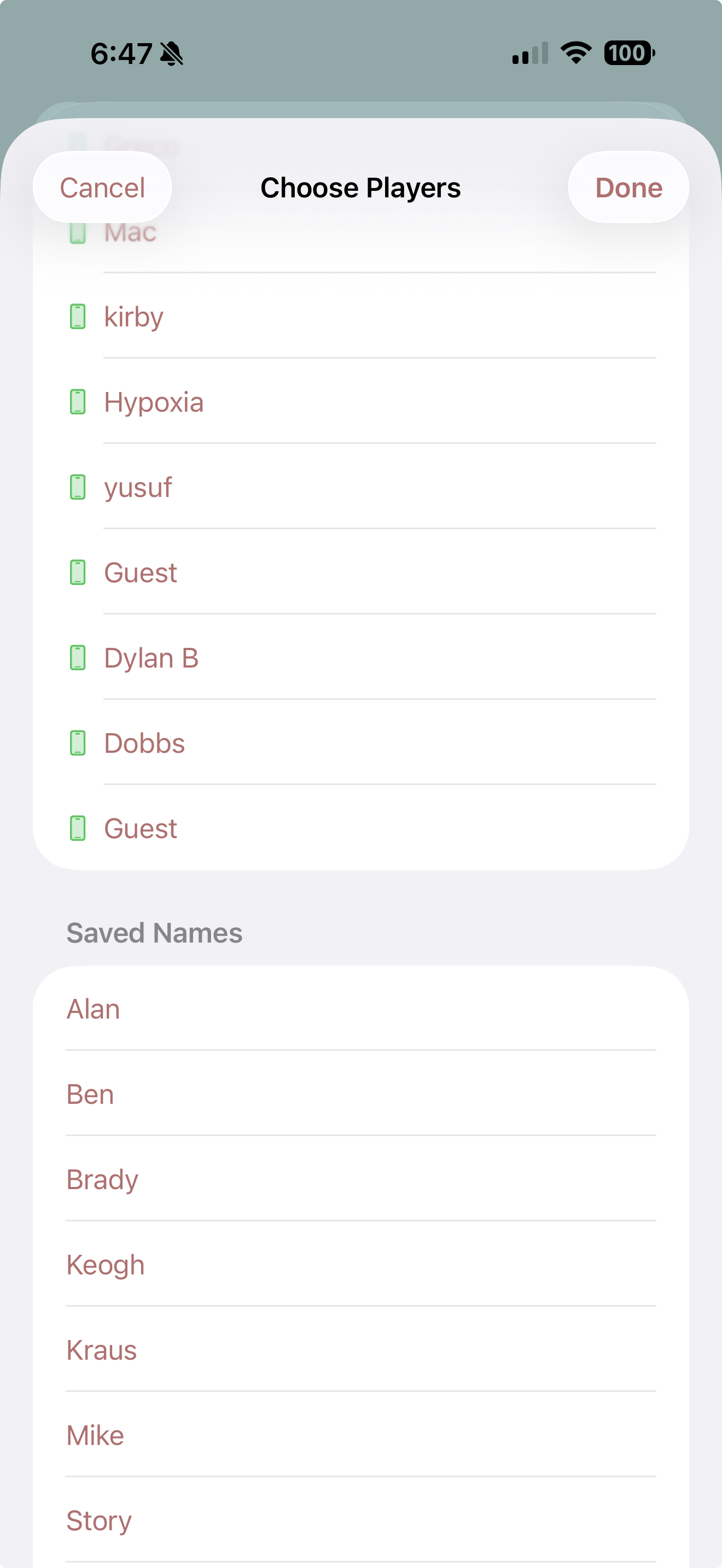
The My Players picker is that shortcut — and on a brand-new account it's empty, which is exactly right: it fills itself as you play. Two shelves grow in it over time:
- Linked app players — marked with a green phone. These are guys with SuperWolf on their own phone. Put one in your round and it shows up in their games list automatically — they follow every hole live and get score updates pushed to their lock screen. No texting screenshots of the scorecard at the turn. In a league? Your whole league roster is pre-loaded here from day one — join the league, and your Friday group is already in the picker.
- Saved Names — every handle you've ever typed. Names save themselves when you start a round, so your Saturday group is a four-tap setup by week two.
Handles are yours: the app doesn't care if "Lefty" is his real name, and neither does the money.
Real courses, real ratings.
Tap the course row and pick where you're playing. Three ways in:
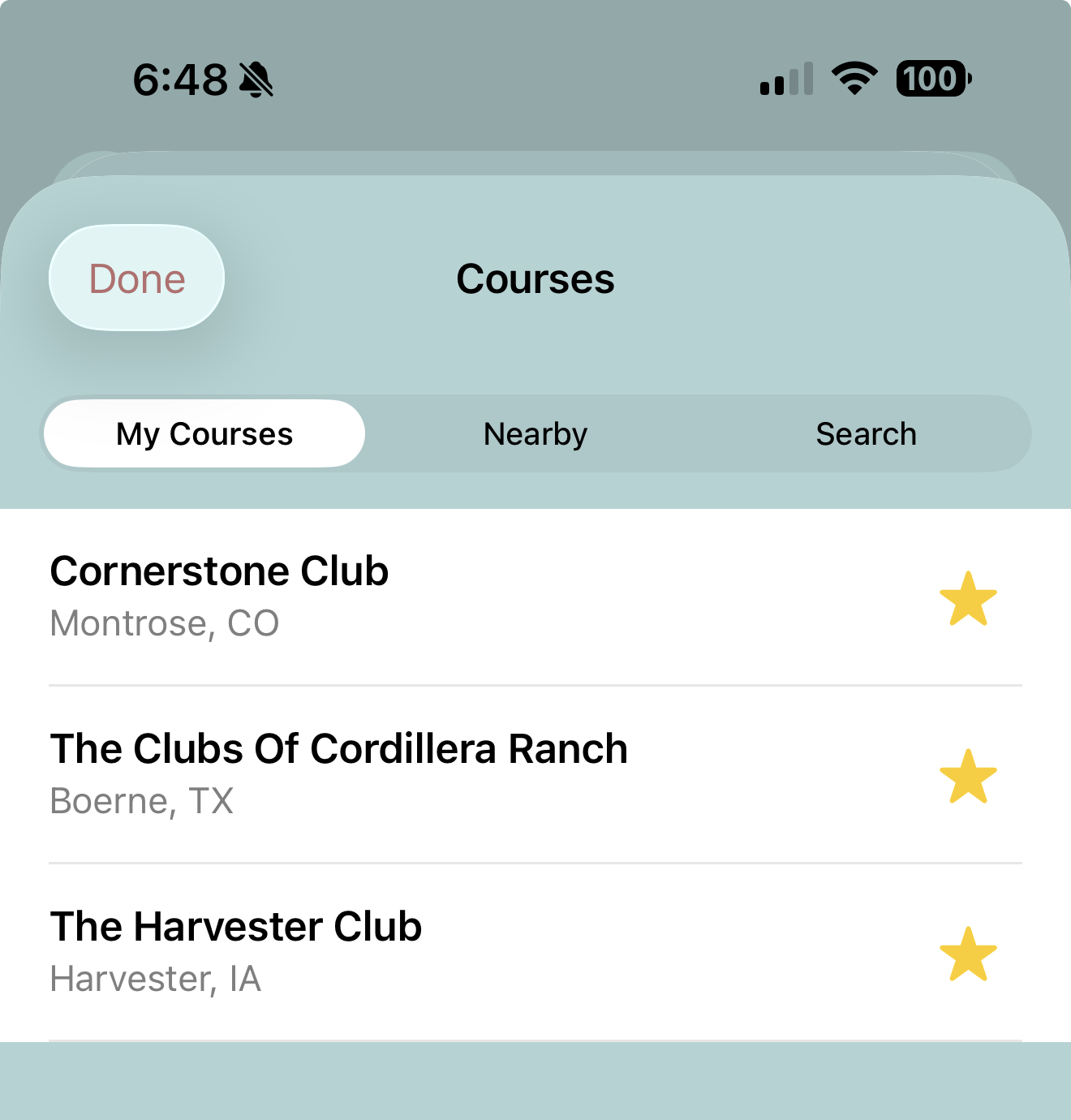
- My Courses — your starred home tracks, one tap away.
- Nearby — courses around your current location, for the road trip.
- Search — everything else, by club or course name.
Every course comes with its full tee sheet — ratings, slopes, par, and hole handicaps — so the strokes land on the right holes without anyone squinting at the card in the pro shop. Pick a default tee for the group here; if somebody plays a different set, you'll fix that per player in Tees & Pops next.
Star the courses you actually play and they pin to My Courses.
The handicap math, handled.
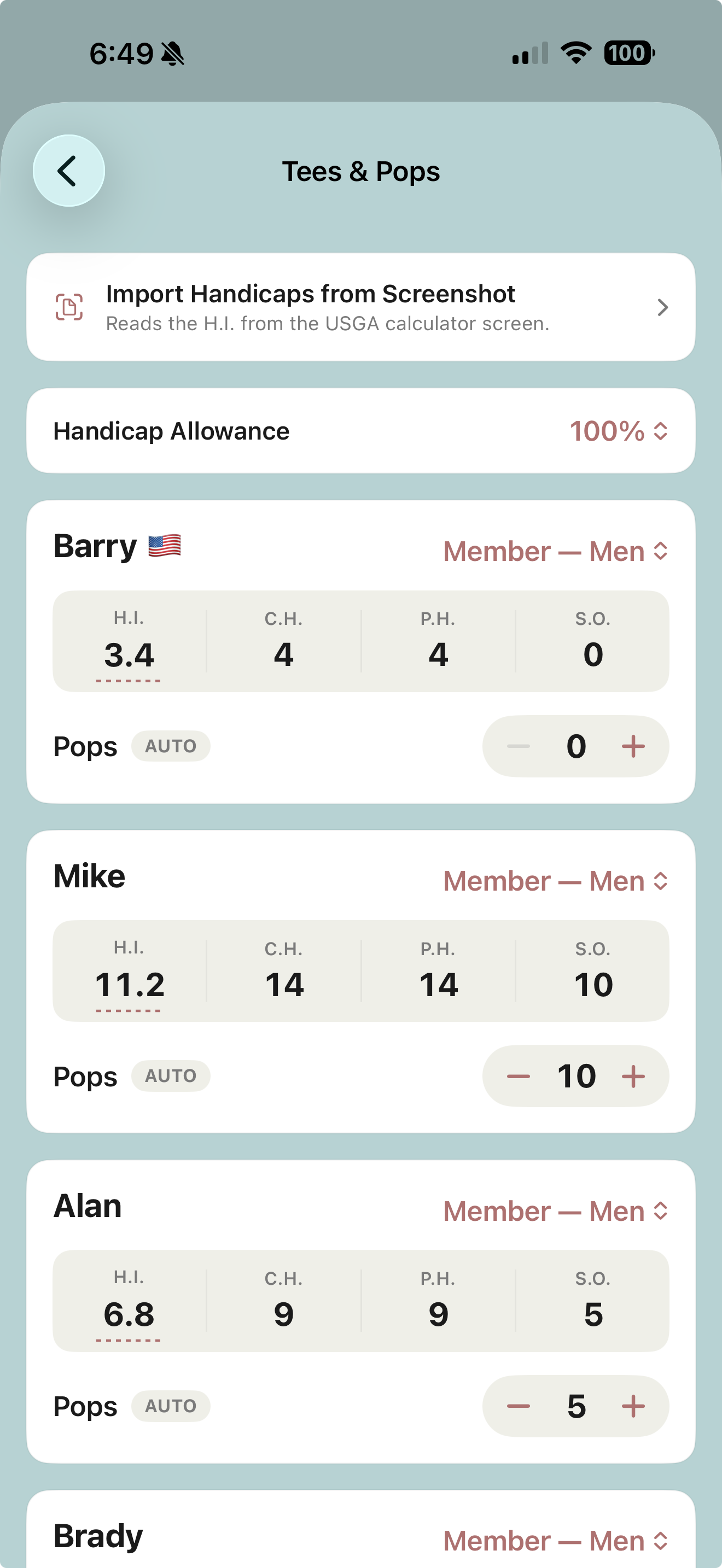
This is the screen that ends the first-tee argument. Every player gets a card with their tee, their handicap chain, and their pops — and the app does the arithmetic the second anything changes.
| H.I. | Handicap Index — the player's official index. Tap the dotted number and type it in. This is the only number you enter; the rest is derived. |
| C.H. | Course Handicap — the index converted for the tee that player is actually playing (slope, rating, and par all accounted for). Change a player's tee and his C.H. updates on the spot. |
| P.H. | Playing Handicap — the C.H. with the round's handicap allowance applied. Playing 100%? They match. Playing 85% because somebody's index is a work of fiction? Flip the allowance selector once and it applies to everyone. |
| S.O. | Strokes Off — the number that actually matters in a money game. Pops are relative: the low man plays at scratch (0) and everyone else gets the difference. A 4 and a 14 don't get 4 and 14 strokes — they get 0 and 10. |
Pops land automatically on the hardest holes by hole handicap (that's the Auto badge). Your group does it differently? Hit the stepper and set any number you like — manual beats math, this is your game.
Per-player tees: the guy playing the Members while everyone else plays the tips just picks his tee on his own card. His course handicap is computed off his tee, so the strokes stay honest.
And the party trick: Import Handicaps from Screenshot. Snap the USGA course-handicap calculator screen (or have somebody text it to you), point the app at it, and it reads everyone's index straight off the image. Nobody types 8 indexes on the first tee.
Dial in the game.
Every game gets its own settings card at the bottom of setup, with the rules spelled out right under the knobs. Defaults are the way most groups play — touch nothing and you're still playing a real game.
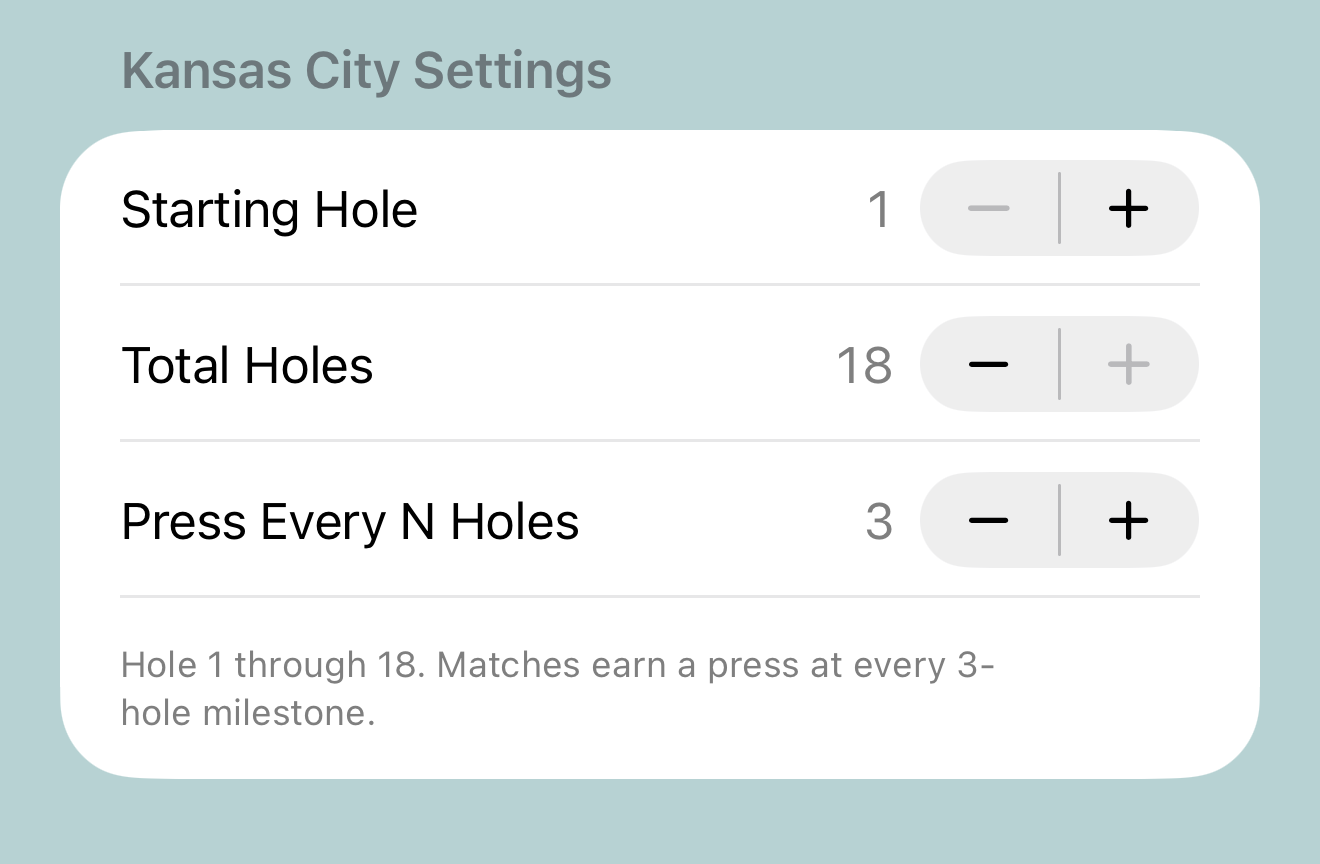
Kansas City
Set the starting hole, total holes, and the press cadence — matches earn a press at every N-hole milestone. The rolling best-and-worst-ball match takes it from there.
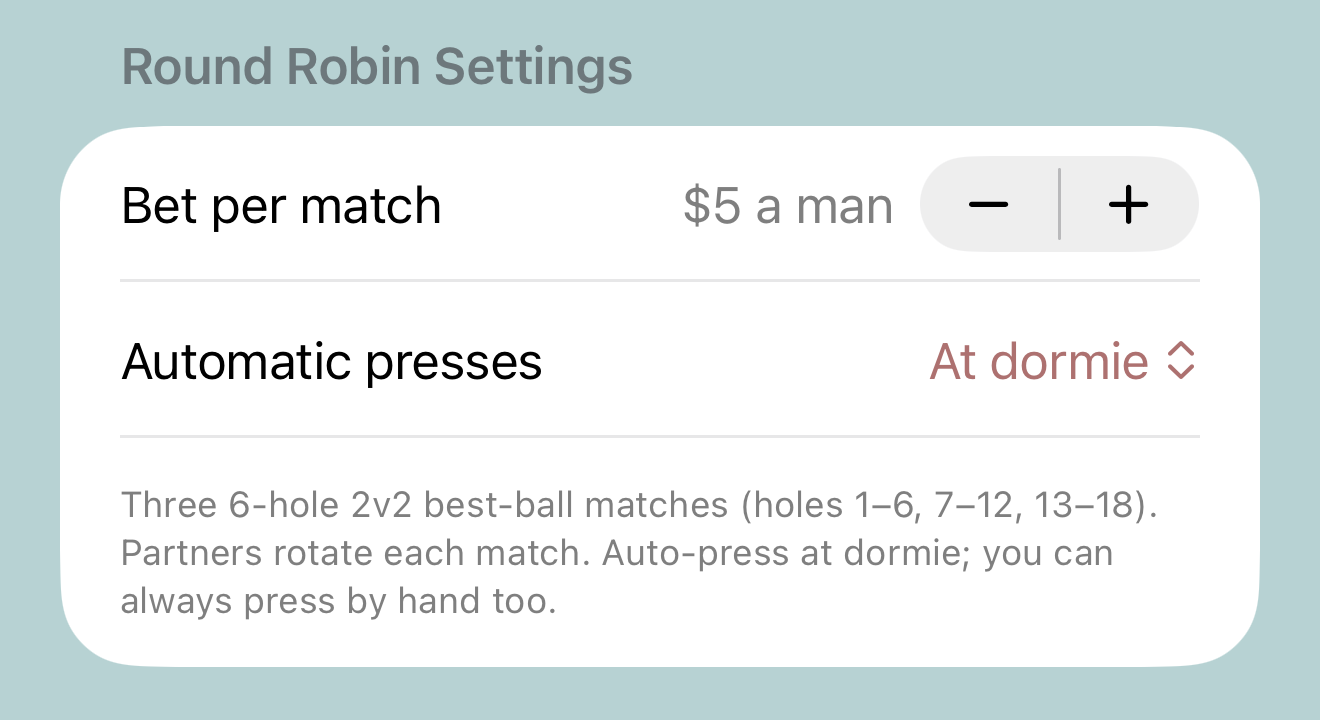
Round Robin Match
Bet per match ("$5 a man") and your auto-press rule — 1 down, 2 down, at dormie, or manual-only for groups that like to look each other in the eye first.
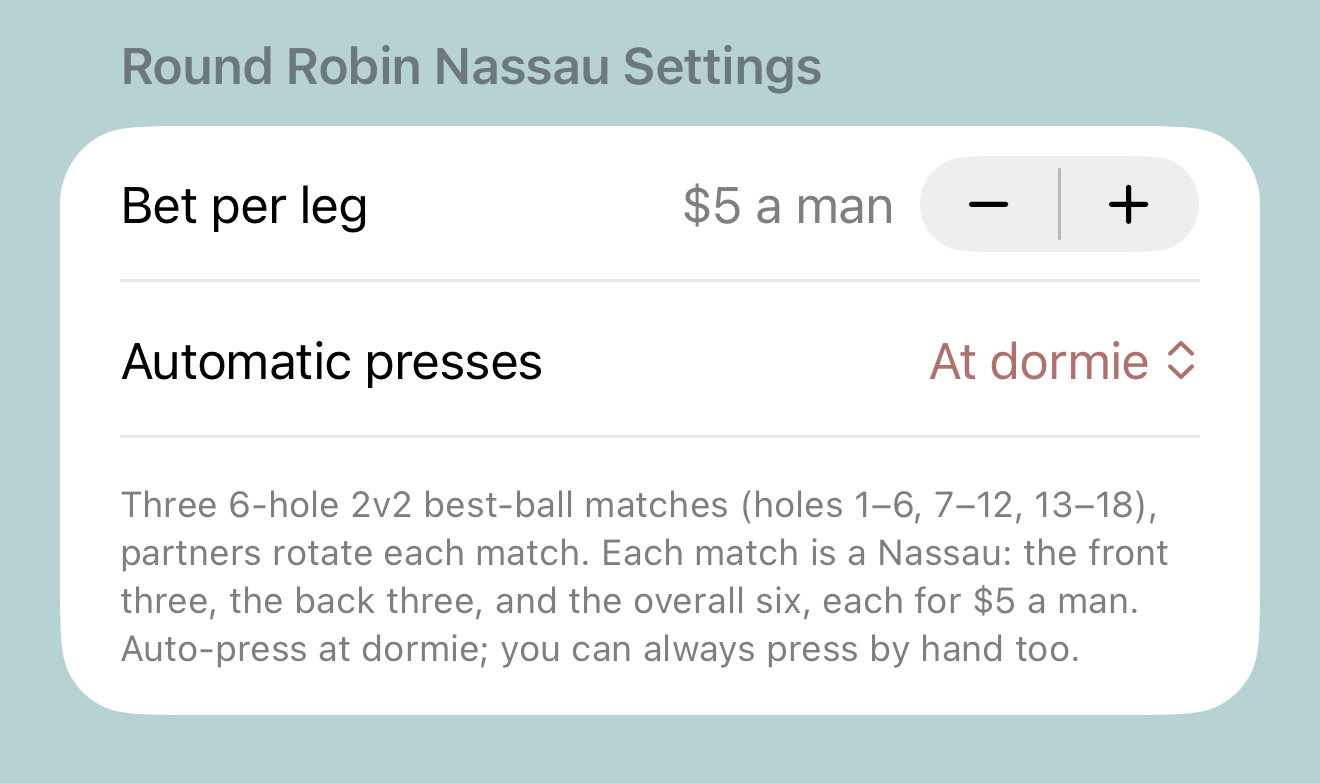
Round Robin Nassau
Same rotation, Nassau flavor: each six-hole match carries a front-three, back-three, and overall bet per leg, with dormie presses if you want them.
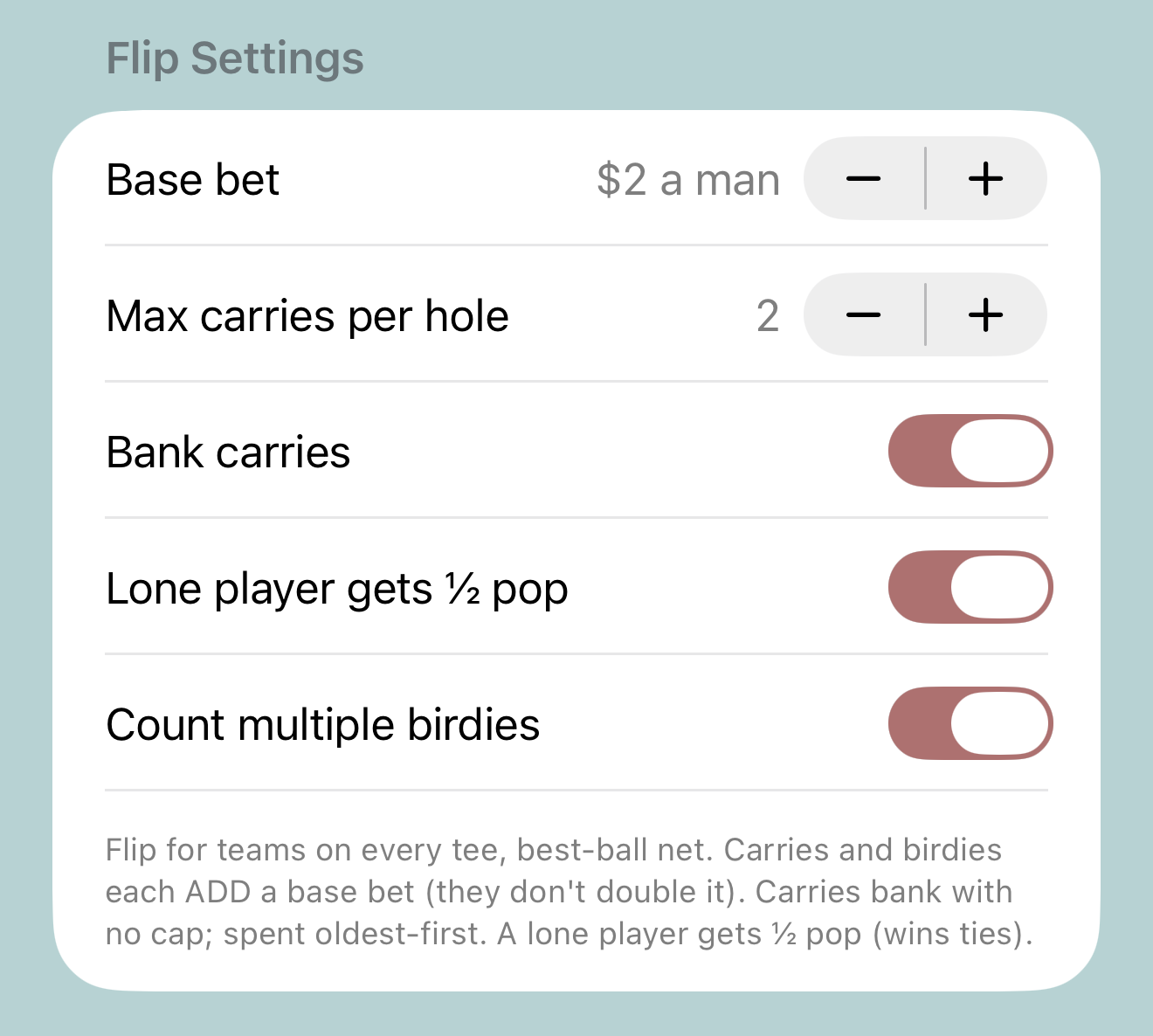
Flip
Base bet, the carry cap, whether carries bank without limit, the lone-player ½-pop, and whether multiple birdies stack. Chaos, configured.
The rest of the arsenal
Four more round types, same one-screen setup. Here's what their knobs look like.
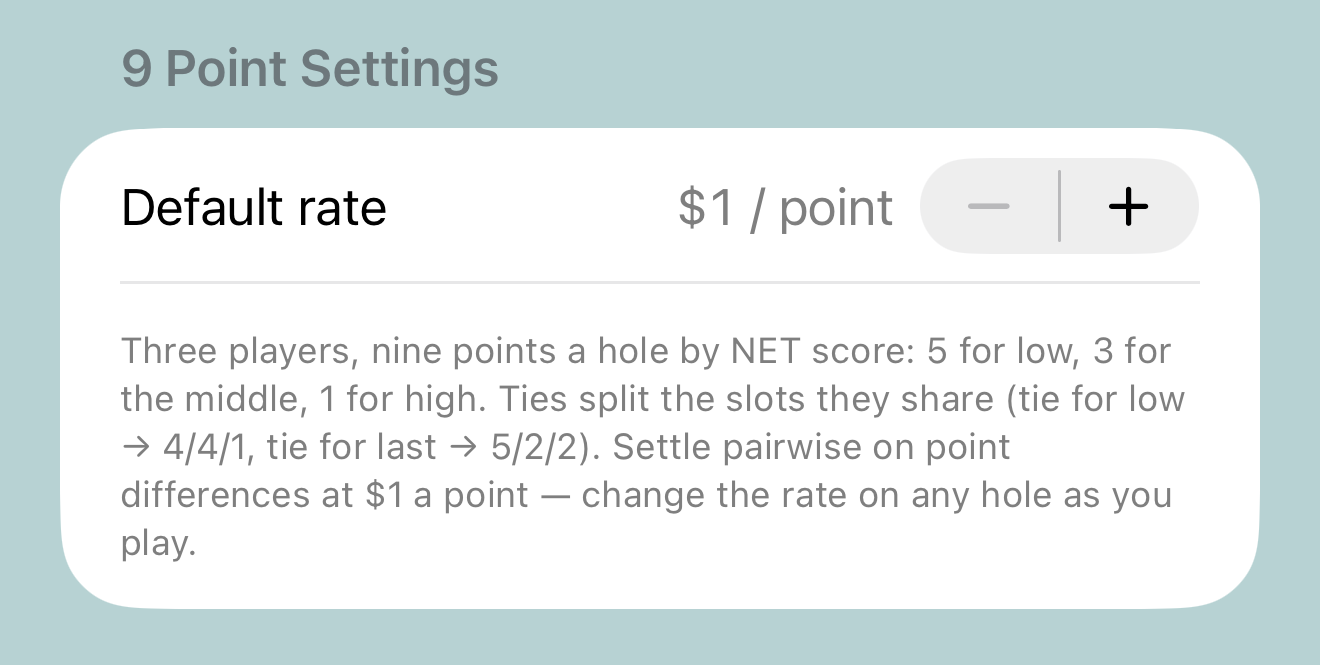
9 Point
One knob: the dollar rate per point. Nine points a hole, 5–3–1 by net score, settled pairwise — and you can bump the rate mid-round when the closing holes need teeth.
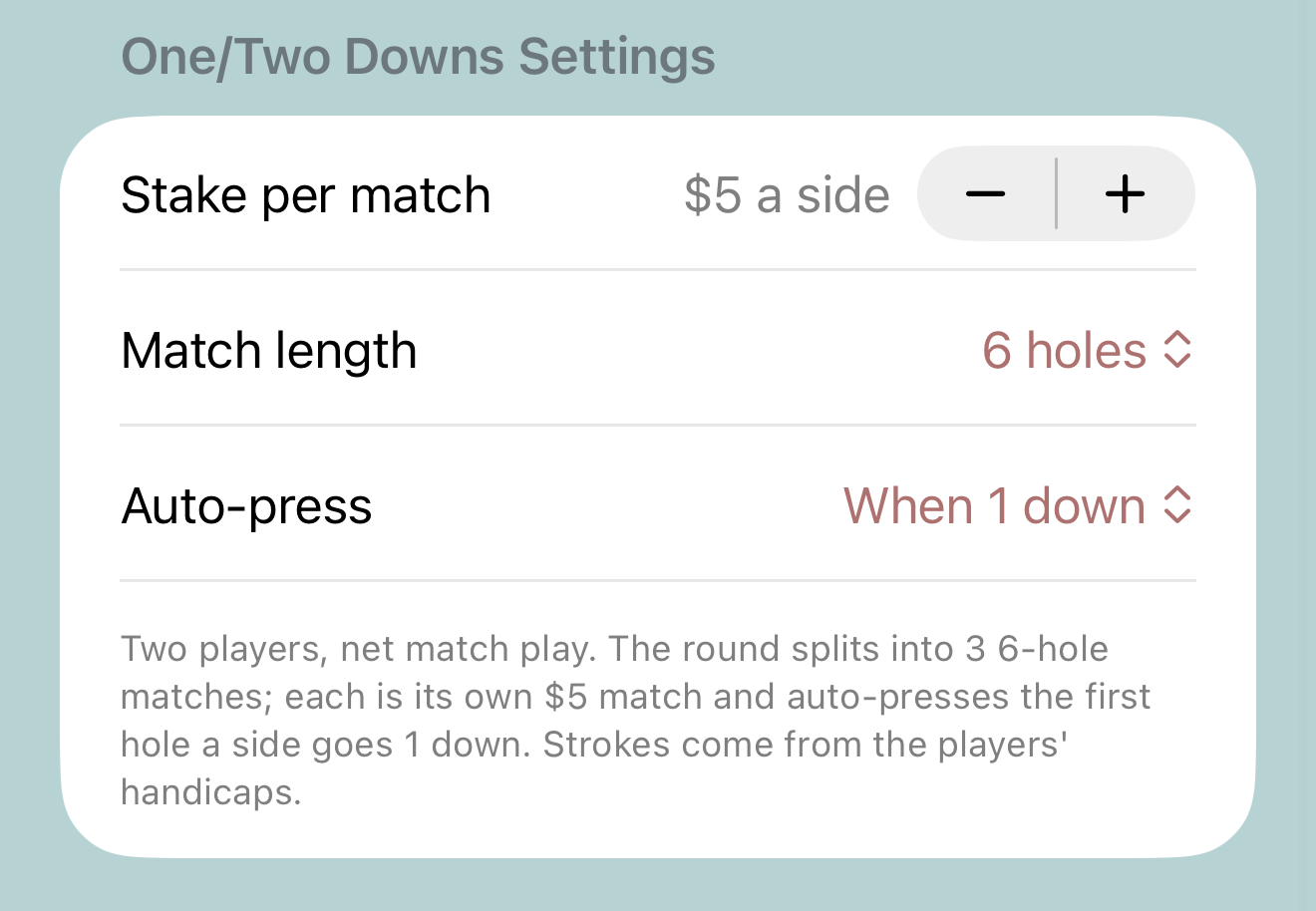
One/Two Downs
Heads-up match play, tiled: stake per match, block length (3/6/9/18 holes), and whether the auto-press fires at 1 down or 2 down.
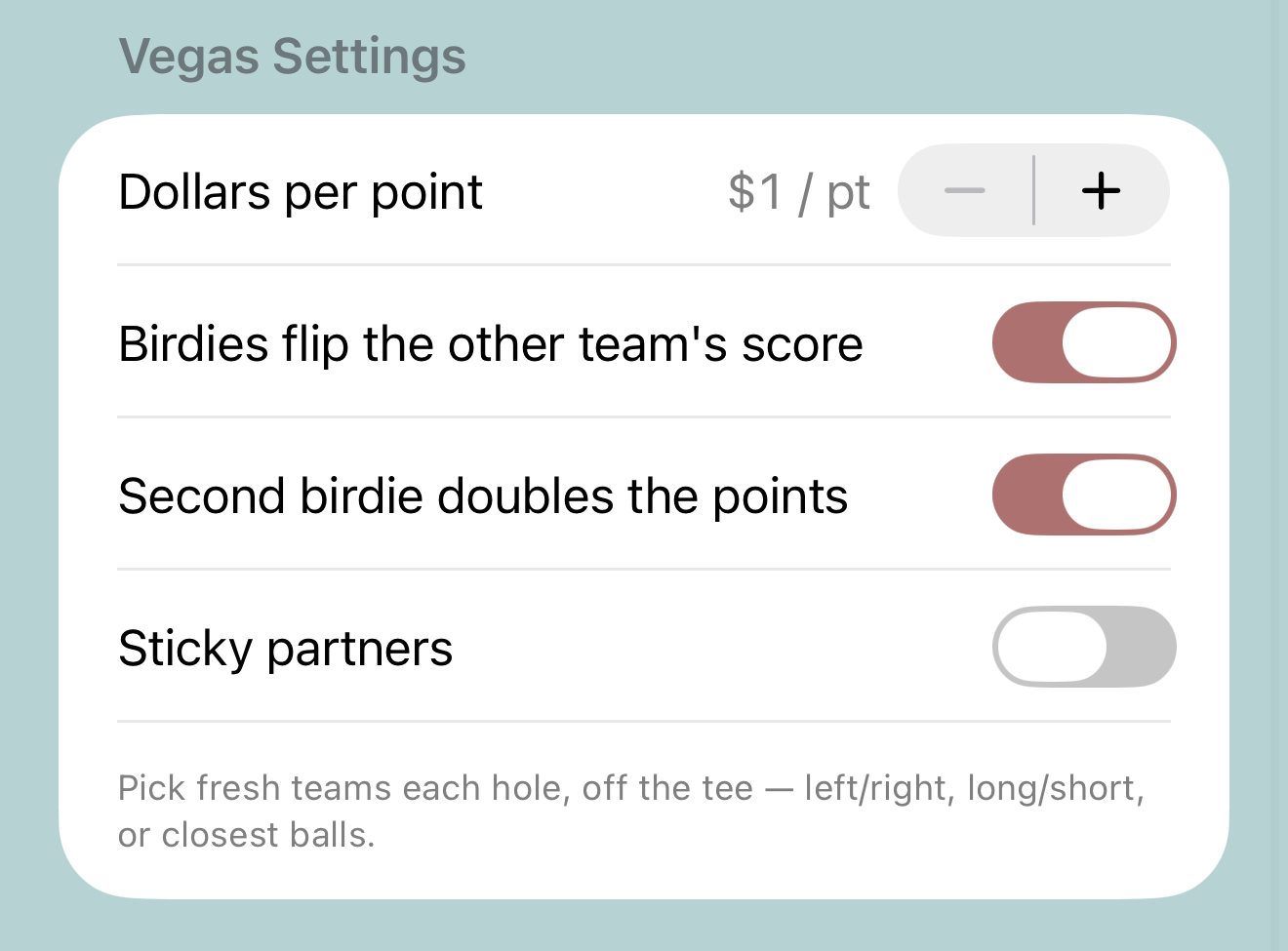
Vegas
Dollars per point, the birdie flip, the second-birdie doubler, and sticky partners if your teams hold all day. Turn the birdie toggles off for a plain game — nobody will, but you can.
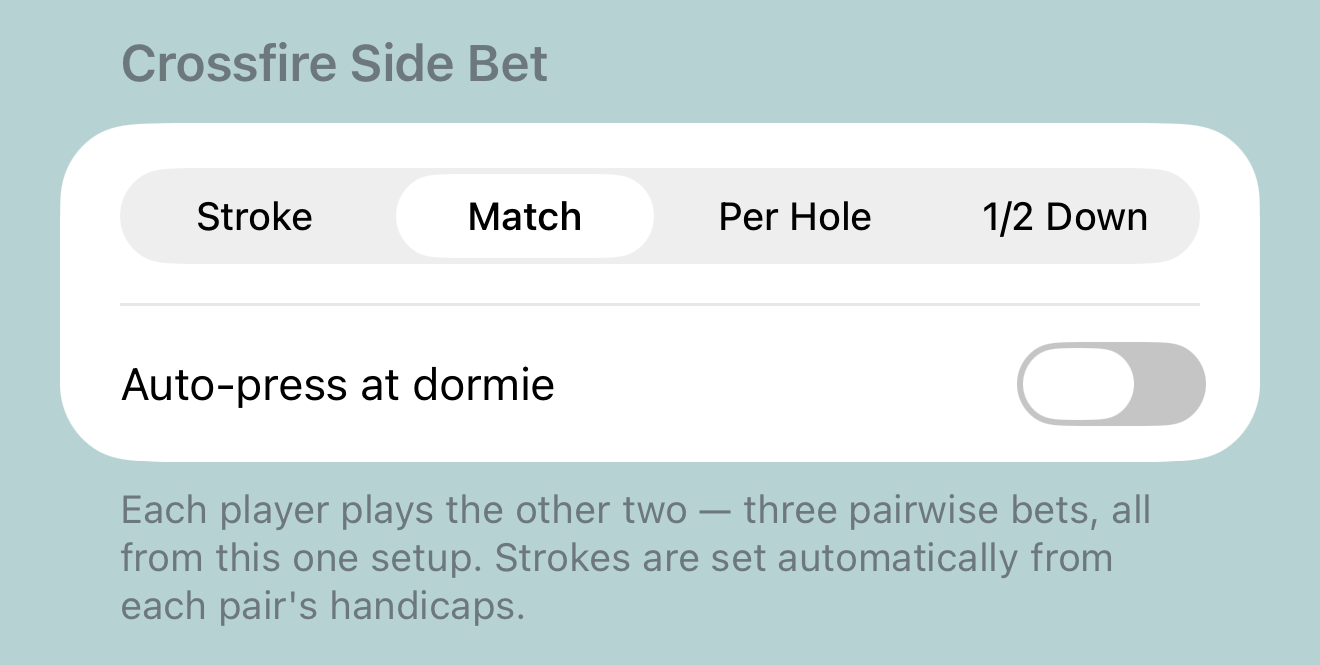
Crossfire
Pick one format — stroke, match, per-hole, or 1/2 Down — and the app builds all three pairwise bets from that single card. Strokes set automatically from each pair's handicaps.
Wolf's knobs — base bet, carries, shucks, hammers, and the SuperWolf mode — are covered on the Wolf page.
Hit GO. Enter scores. That's the job.
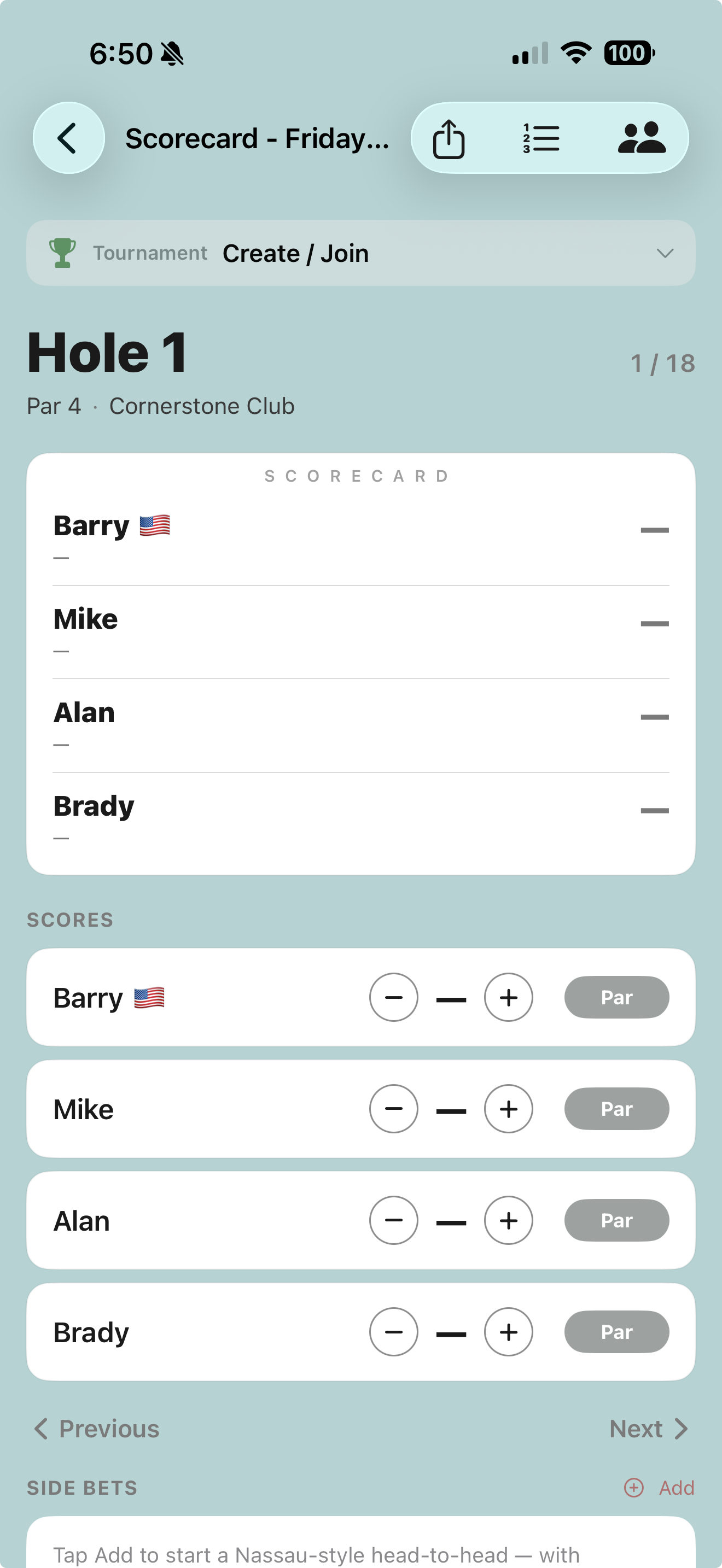
From here the app is a scorekeeper, and you're a golfer. One screen per hole:
- The scorecard card up top shows the round at a glance — running totals under every name.
- Score steppers for each player, with a one-tap Par button because most holes are boring.
- Previous / Next to walk the round; jump anywhere from the hole list.
- Side bets live at the bottom — spin up a Nassau-style head-to-head mid-round when somebody starts talking.
The matches, presses, carries, and money all compute from the same scores as you enter them — and a Live Activity keeps the state of the game on your lock screen so you're not unlocking your phone in the fairway. Anyone you added as a linked player is watching the same numbers update live from wherever they are.
Drop your round into the tournament.
Your group keeps its own game. The tournament gets your scores. Same scorecard, two payouts — that's the whole trick, and it takes three taps. One footnote: a Wolf game played without keeping score has no scorecard to contribute, so score your Wolf round (or keep a scorecard round alongside) if it's a tournament day.
The trophy bar
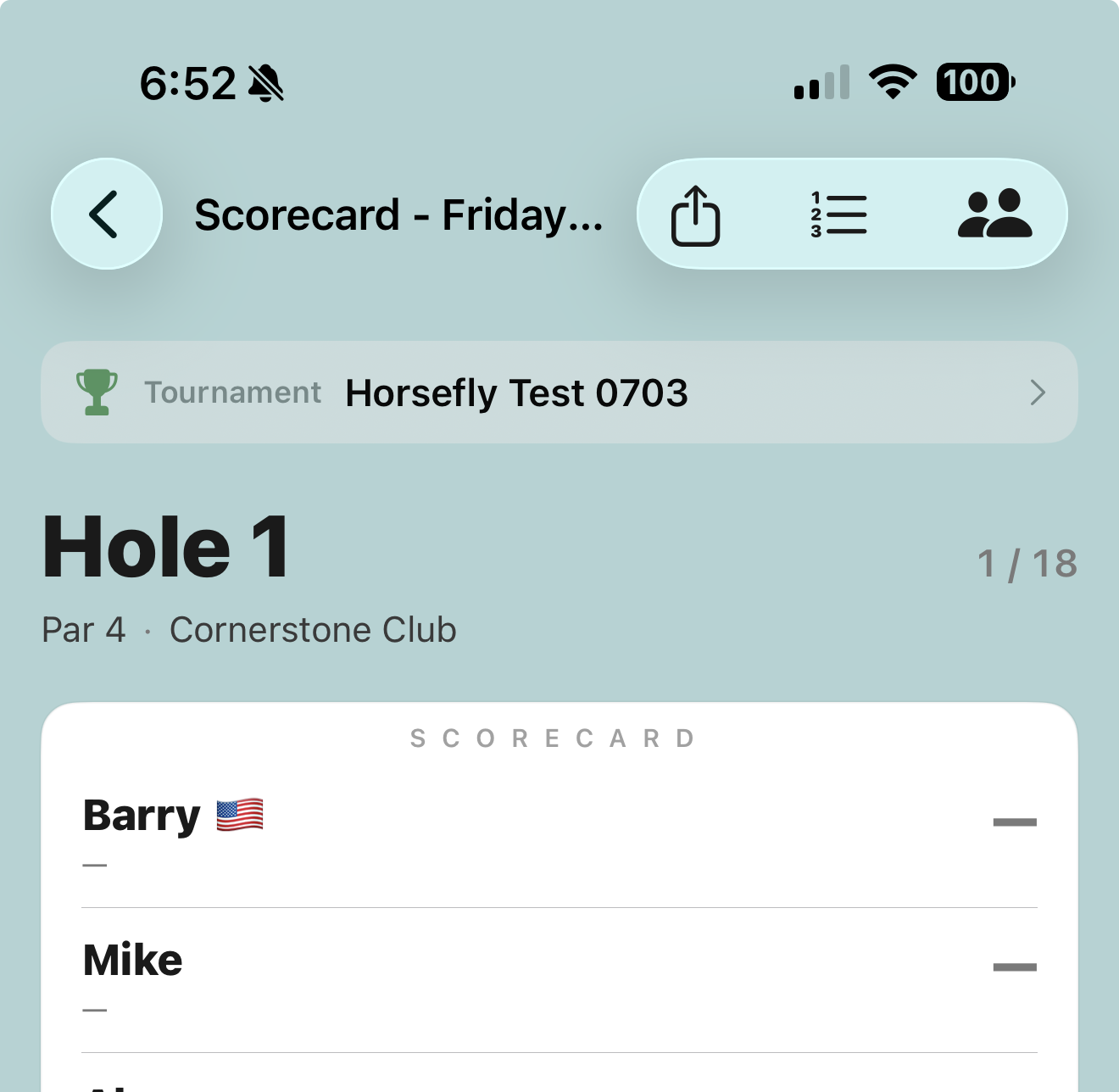
Every round carries a Tournament bar right under the title. Solo round? Ignore it forever. Playing with other groups? Tap it and pick:
- Create Tournament from this Round — you're the commissioner now. Name it, and the app mints a QR code and share link the other groups scan to join.
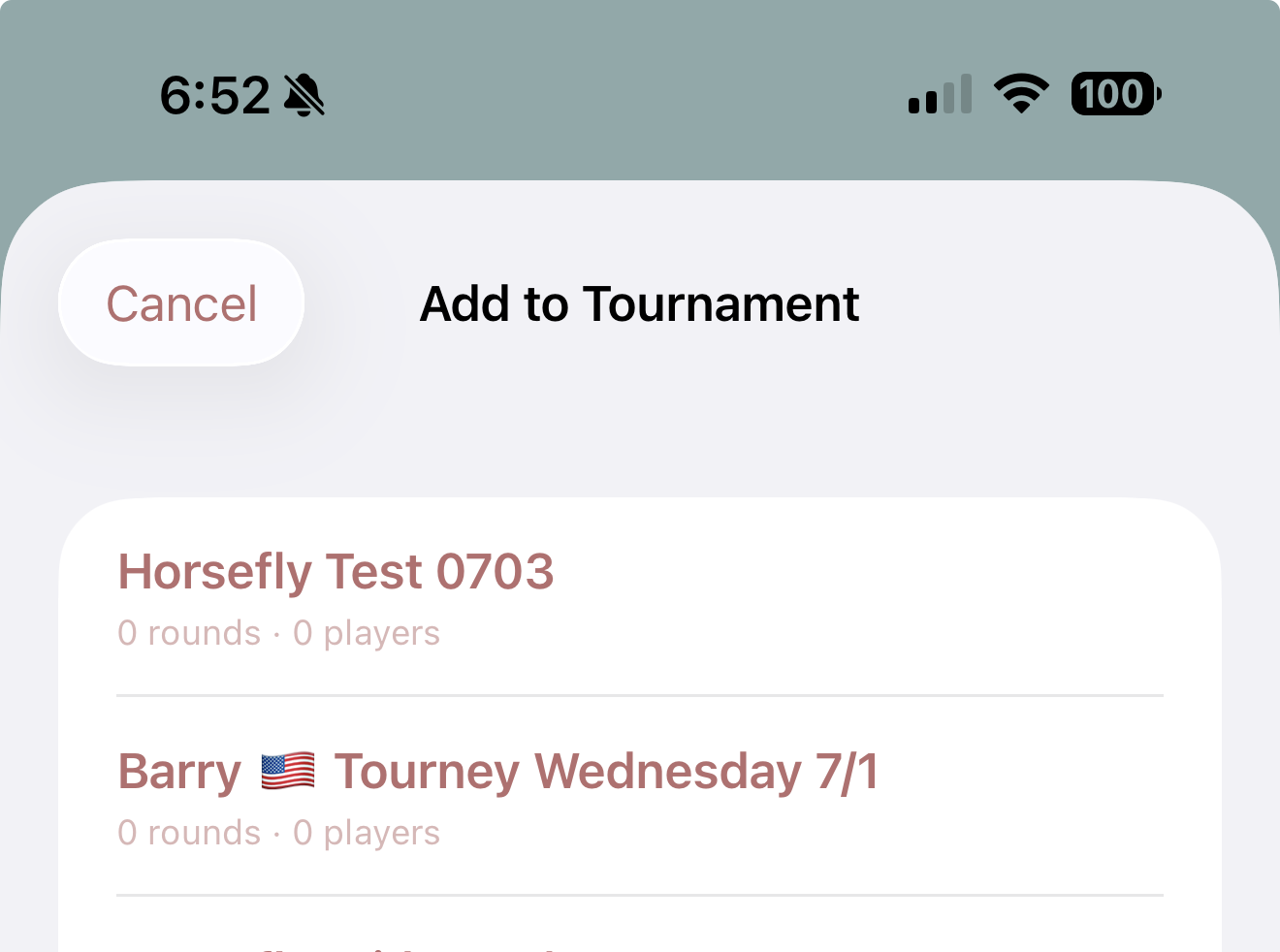
- Add to Existing Tournament — the buy-in's already organized; put your round in it.
Got an invite instead? Scan the organizer's QR code or tap their link and your round attaches from that side — same result, someone else did the typing.
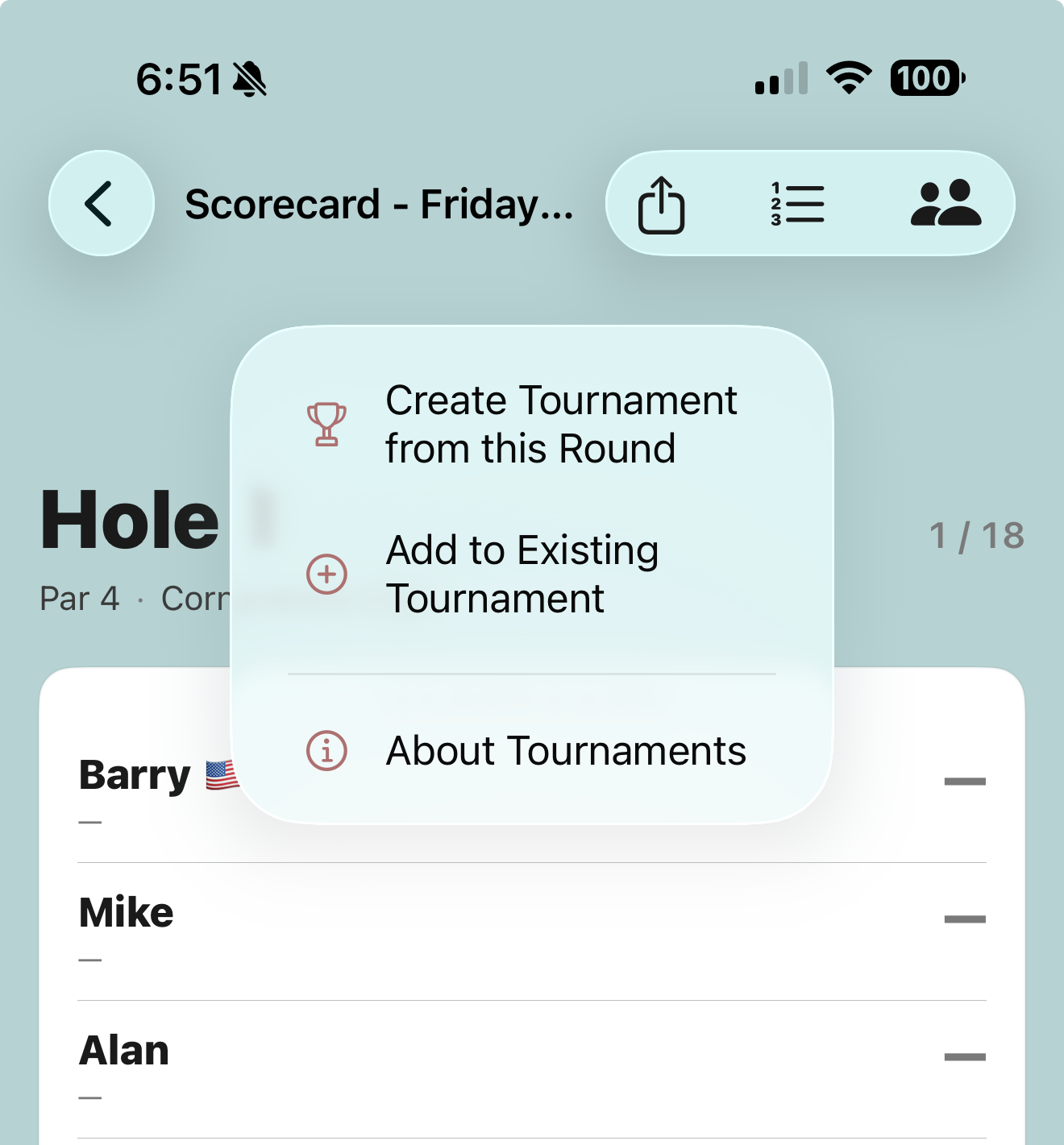
Pick the tournament, and you're in
Add to Existing lists every tournament you're part of — including the ones your league runs. Tap one and your round attaches on the spot. If the tournament is locked to a course, the app checks you're playing it — no smuggling in a round from the muni.
Once attached, the trophy bar shows the tournament name and every score you enter flows to the field automatically. Nothing else to do. Nothing to sync. Nobody collecting scorecards in the bar with a calculator.
The tournament view: every group, one board
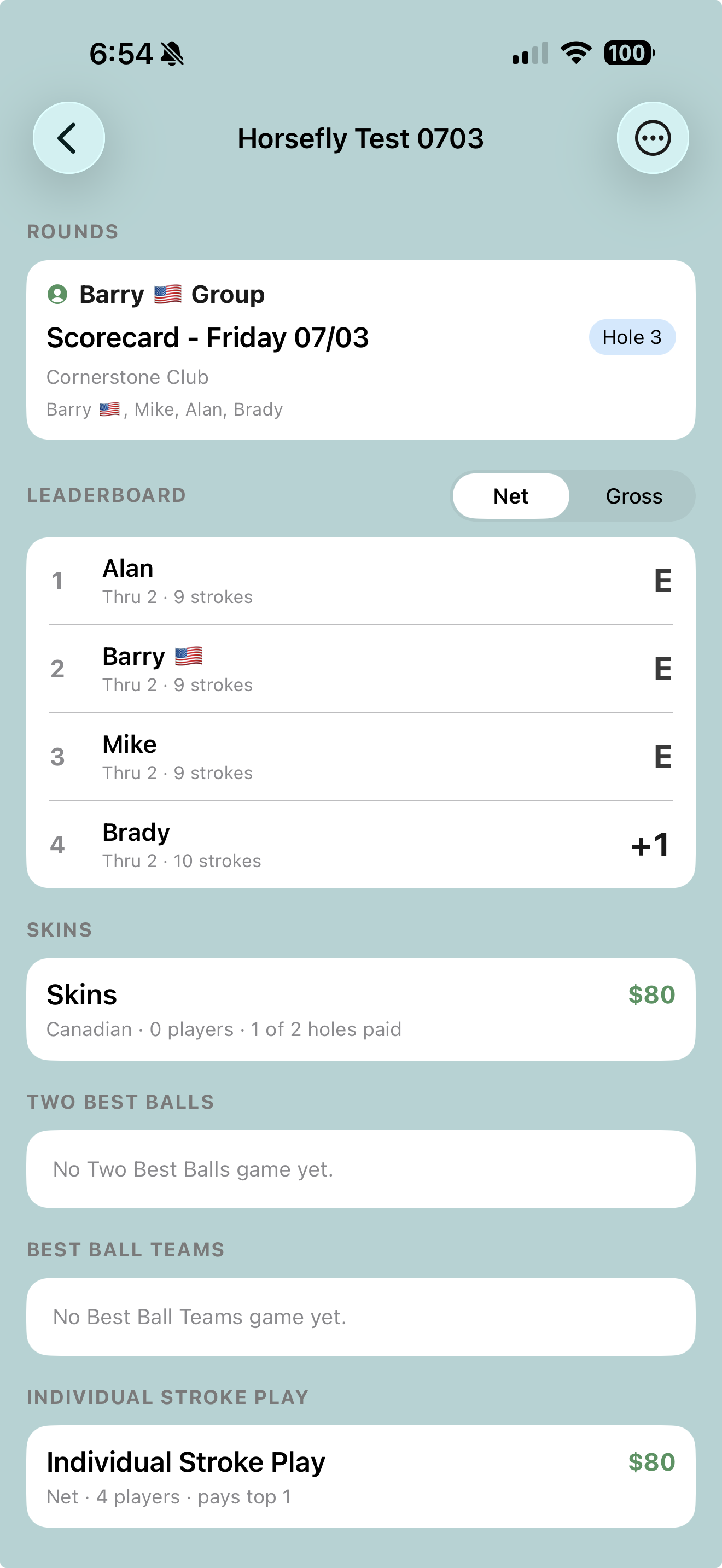
Open the tournament and it's all there, live:
- Rounds — every attached group and what hole they're through.
- Leaderboard — the whole field, net or gross, updating as the scores land.
- Tournament games — Skins, Two Best Balls, Best Ball Teams, and Individual Stroke Play, each with its pot and payouts computed hole by hole.
- Side bets — head-to-heads that even cross groups; your ball, his ball, different foursomes, settled anyway.
Want it on the bar TV afterward? Go to superwolf.golf/tv on the TV's browser, scan the QR with your phone, and put the live board on the big screen. More on that on the tournaments page.
Two minutes of setup. Eighteen holes of trash talk.
Download SuperWolf and run your Saturday like it means something.
Download on the App Store